Best D-ID Alternatives in 2026: Simpler & More Affordable Options

D-ID has become one of the most well-known names in AI-powered video creation. Their “Creative Reality” platform lets you create talking avatars, animate photos, and generate AI videos at scale.
But here’s the thing: D-ID isn’t for everyone.
Maybe you’ve tried their free tier and hit the limits faster than expected. Maybe you’ve seen the pricing page—$5.99/month just to start, scaling up to $299/month for API access—and felt your wallet cry. Or maybe you just want something simpler: you don’t need enterprise features, 120+ language support, or complex avatar customization. You just want to animate some old family photos without getting a PhD in video production.
If any of that sounds familiar, keep reading.
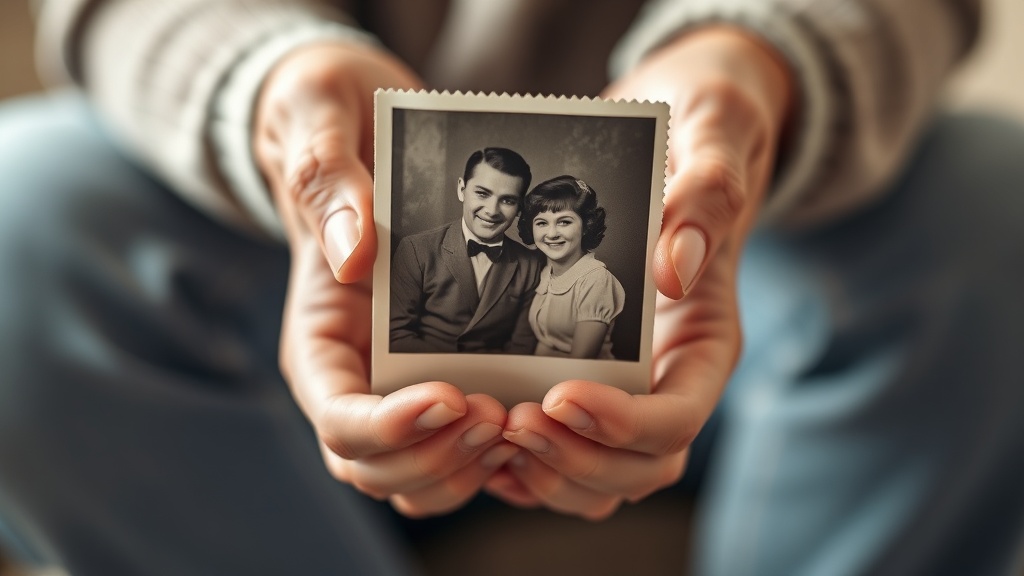 Many people just want to bring cherished family photos to life—without the complexity of enterprise tools.
Why people look for D-ID alternatives
Before we dive into the options, let’s be honest about why you might be here:
1. Pricing that escalates quickly
D-ID’s pricing structure looks approachable at first glance:
| Plan | Price | What you get |
|---|---|---|
| Lite | $5.99/month | 10 minutes of video |
| Pro | $49.99/month | 15 minutes + more features |
| Advanced | $299/month | API access, priority |
| Enterprise | Custom | Everything |
But here’s the catch: those minutes get eaten up fast. A single 2-minute video? That’s 20% of your monthly Lite allowance. Want to create a 5-minute anniversary tribute with multiple photos? You’re already looking at the Pro plan.
For casual users who just want to animate a few photos for a birthday or memorial, this pricing model feels like paying for a Ferrari when you need a bicycle.
2. Feature overload
D-ID is built for businesses. They offer:
- AI presenters for corporate videos
- Interactive conversational agents
- Enterprise API integrations
- Multi-language support (120+ languages)
- Custom avatar training
If you just want to bring grandma’s wedding photo to life for her 80th birthday, navigating all these features feels like using a commercial kitchen to make toast.
3. Credit systems add mental overhead
Like many AI tools, D-ID uses credits. This means:
- Constantly checking how many credits you have left
- Worrying about running out mid-project
- Never quite knowing what things will cost upfront
- That nagging feeling of “should I use this credit now or save it?”
For something emotional—like creating a memorial video—the last thing you want is to be doing math.
4. Wrong tool for emotional content
D-ID excels at talking avatars and corporate video. But if you want to create an emotional video tribute with music—like for an anniversary or memorial—it’s simply not designed for that. No soundtrack options. No emotional pacing. No gift-ready output.
The best D-ID alternatives in 2026
1. Revivaly ⭐ Best for personal, emotional videos
Best for: Family photos, anniversary gifts, memorial tributes, birthday surprises
“I made a video for my parents’ 50th anniversary in 10 minutes. My mom cried. Worth every euro.”
Revivaly takes a completely different approach than D-ID. Instead of trying to do everything, it does one thing exceptionally well: turning your photos into emotional video tributes with music.
| Feature | Details |
|---|---|
| Price | €1 per photo (max €10), photos 11-20 free |
| Output | Full video with music and transitions |
| Delivery | ~5 minutes |
| Subscription | None—pay once, keep forever |
How it works
The process is dead simple:
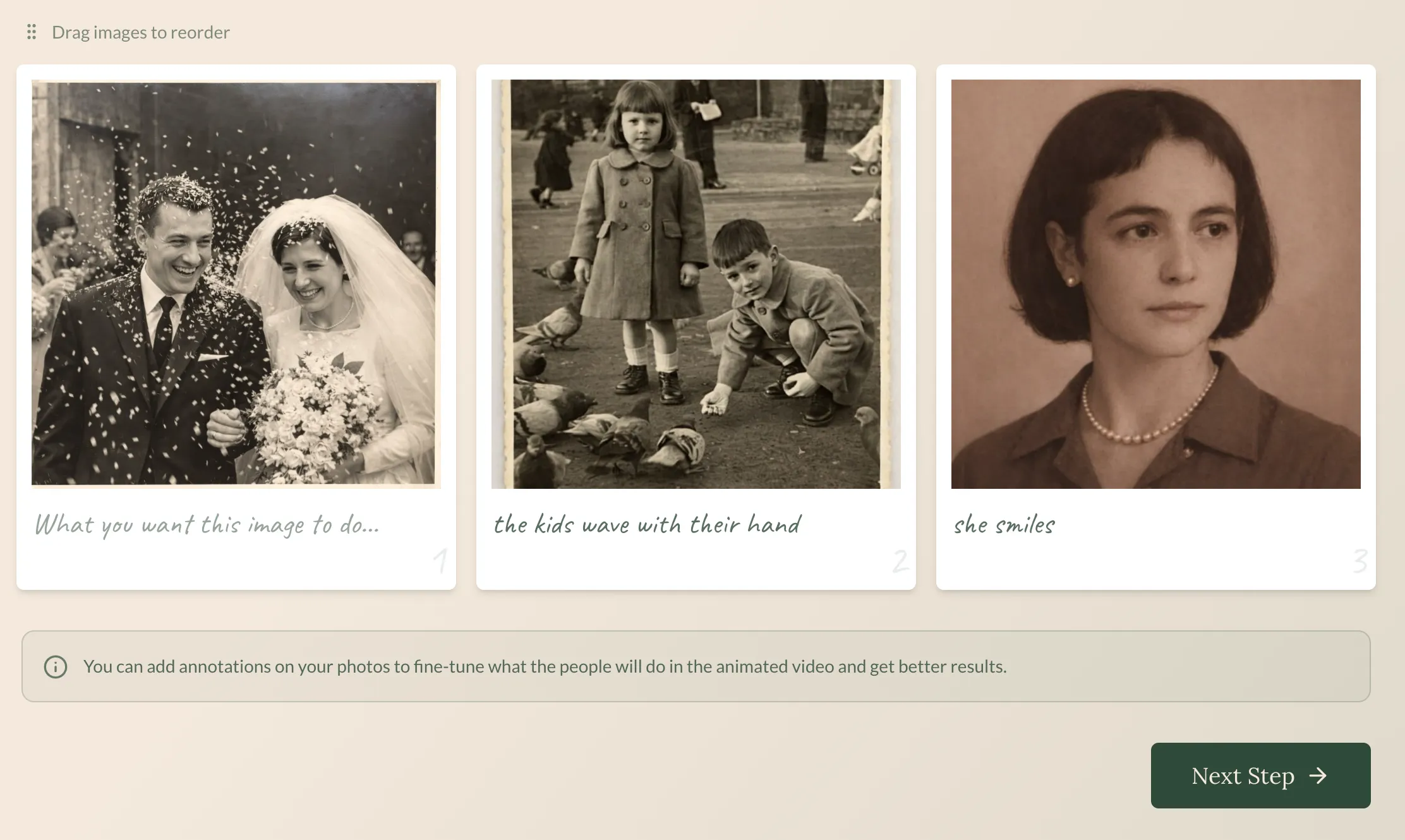 Step 1: Upload your photos. Old, new, low quality—it handles them all.
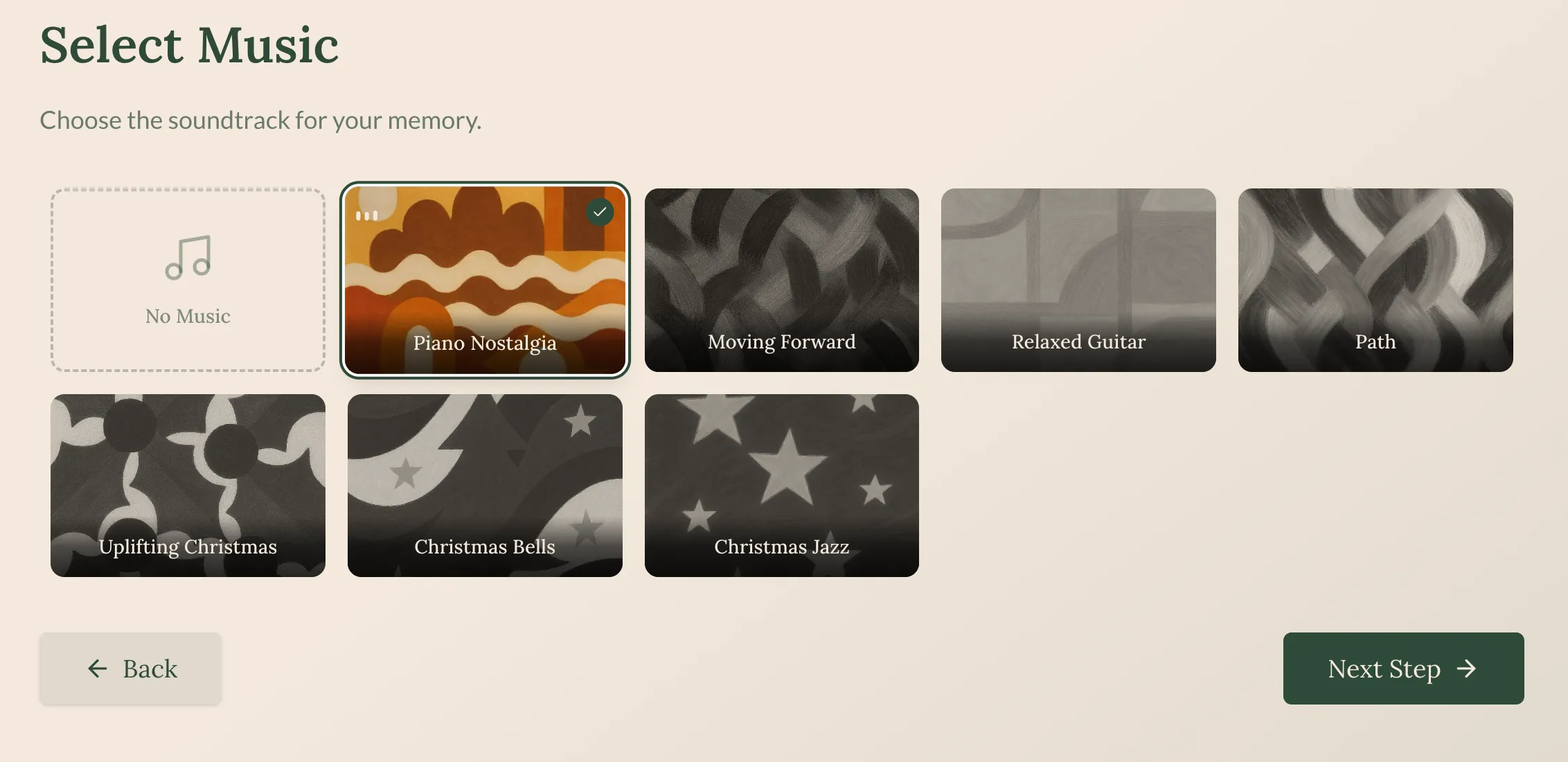 Step 2: Pick a soundtrack that matches the mood. Emotional, uplifting, nostalgic—your choice.
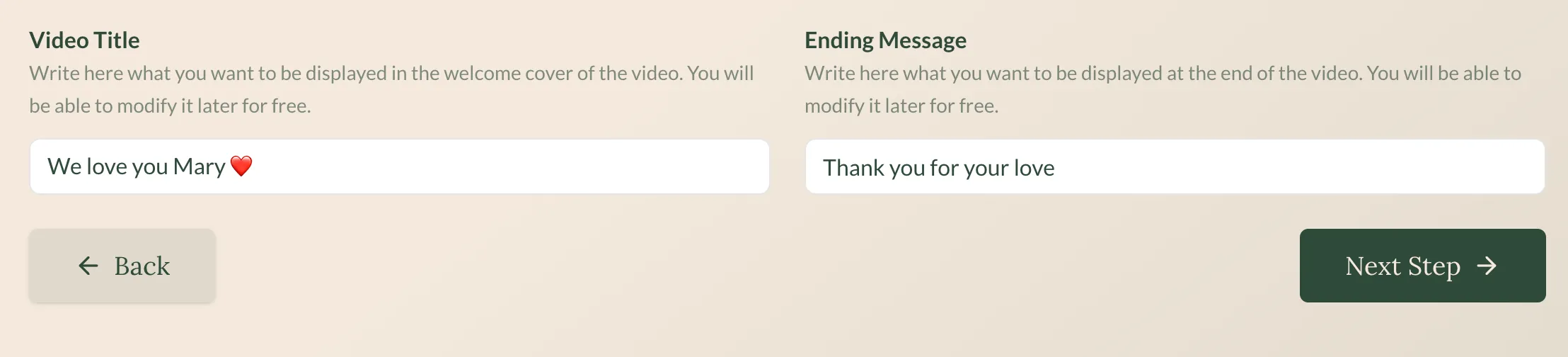 Step 3: In about 5 minutes, your video is ready to download and share.
See the result
Here’s what a finished Revivaly video looks like:
A real example: family photos transformed into an emotional tribute with music.
Why it’s a great D-ID alternative
| D-ID | Revivaly |
|---|---|
| $5.99-$299/month | €1-10 one-time |
| Credit tracking required | Pay per photo, done |
| Enterprise features | Gift-focused simplicity |
| No music | Curated soundtracks included |
| Talking avatars focus | Photo memories focus |
| Learning curve | Zero learning curve |
The bottom line: If you want to animate photos for a personal occasion—not build a corporate video pipeline—Revivaly is purpose-built for exactly that.
Limitations to know:
- No talking avatars (not the goal)
- No API access (consumer-focused)
- No text-to-speech (it’s about photos + music)
2. MyHeritage Deep Nostalgia
Best for: Quick face animations, genealogy enthusiasts
 Deep Nostalgia works well for quick face animations, but doesn’t create full videos.
MyHeritage’s Deep Nostalgia went viral in 2021 for making old photos “come alive.” It animates faces—making them blink, smile, and look around—creating an almost eerie sense of presence.
| Feature | Details |
|---|---|
| Price | Free tier + $13/month subscription |
| Output | Animated face GIF/video (few seconds) |
| Focus | Genealogy, historical photos |
| Music | Not included |
The good:
- Part of a larger genealogy platform (family tree, DNA matching)
- Handles old/damaged photos well
- Free tier lets you try before paying
- 119+ million animations created (proven technology)
The not-so-good:
- Only animates faces—no full video, no story
- No music (you get silent animation)
- Requires MyHeritage subscription for regular use
- Sometimes hits the “uncanny valley”—looks almost human but not quite
- Can’t create gift-ready content
Best for: People already using MyHeritage for genealogy who want a quick “wow” moment with an ancestor’s photo. Not great for creating shareable video gifts.
3. PixVerse
Best for: Creators who need advanced AI video features
PixVerse is a powerful image-to-video AI tool that’s gained serious traction with their V5.6 model. Unlike the simple photo animation of Deep Nostalgia, PixVerse can generate complex video scenes with native audio, lip-sync, and multi-character interactions.
| Feature | Details |
|---|---|
| Price | Freemium with credits |
| Output | AI-generated video with audio |
| Features | Lip-sync, multi-shot, style transfer |
| Learning curve | Medium to high |
The good:
- Cutting-edge video quality
- Native audio generation
- Advanced features for creative projects
- Active development with frequent updates
The not-so-good:
- Credit-based system means tracking usage
- General purpose—not optimized for family memories
- Learning curve for advanced features
- Results require curation (not always usable)
Best for: Content creators and artists who need powerful AI video tools and are willing to learn the system.
4. Kling AI
Best for: Maximum video quality
Developed by Kuaishou (the company behind Kwai), Kling AI produces some of the most realistic image-to-video results available. If pure video quality is your priority, Kling delivers.
| Feature | Details |
|---|---|
| Price | Credit-based |
| Quality | Industry-leading |
| Speed | Moderate (quality takes time) |
| Origin | China (Kuaishou) |
The good:
- Exceptional video quality and realism
- Handles complex motion well
- English interface now available
The not-so-good:
- Credit system with unclear pricing
- Not designed for emotional/personal content
- No music or gift-ready output
- Originally Chinese interface (English now available but sometimes rough)
Best for: Users who prioritize video quality above all else and don’t mind navigating credits.
5. Hailuo AI (MiniMax)
Best for: Fast turnaround times
Hailuo, built by MiniMax, has earned a reputation for speed. It generates AI videos quickly while maintaining solid quality—a balance that’s hard to find.
| Feature | Details |
|---|---|
| Price | Credits |
| Speed | Very fast |
| Quality | Good (not best-in-class) |
The good:
- Fastest generation times in category
- Decent quality for speed
- Good for iteration and experimentation
The not-so-good:
- Credit system
- General purpose (not emotionally focused)
- No music integration
Best for: Users who need quick results and plan to do post-processing themselves.
6. Hedra
Best for: Enterprise teams needing D-ID-like features
Hedra offers AI video and avatar creation with a focus on enterprise customers. Trusted by 20% of Fortune 500 companies, it’s a legitimate D-ID alternative for business use.
| Feature | Details |
|---|---|
| Price | Enterprise pricing |
| Focus | Business/Creator |
| Quality | High production value |
The good:
- Enterprise-grade reliability
- High production quality
- Good for business presentations
The not-so-good:
- Enterprise pricing (not for casual users)
- Overkill for personal projects
- No personal/emotional focus
Best for: Businesses looking for a D-ID alternative with similar enterprise features.
The real comparison: What matters for your use case
Here’s the honest truth: the “best” D-ID alternative depends entirely on what you’re trying to do.
For family memories and gifts
| Tool | Verdict |
|---|---|
| Revivaly | ✅ Built exactly for this |
| D-ID | ❌ Too complex, too expensive |
| MyHeritage | ⚠️ Face animation only, no full video |
| PixVerse | ⚠️ Overkill, no music |
| Kling | ⚠️ Quality-focused, not emotion-focused |
For business presentations
| Tool | Verdict |
|---|---|
| D-ID | ✅ This is what it’s designed for |
| Hedra | ✅ Good enterprise alternative |
| Revivaly | ❌ Not designed for business |
| PixVerse | ⚠️ Possible but complex |
For creative AI video projects
| Tool | Verdict |
|---|---|
| PixVerse | ✅ Most features |
| Kling | ✅ Best quality |
| Hailuo | ✅ Fastest iteration |
| Revivaly | ❌ Too focused for general creativity |
| D-ID | ⚠️ Expensive for experimentation |
Frequently asked questions
Is there a free D-ID alternative?
Several tools offer free tiers:
- MyHeritage Deep Nostalgia: Limited free animations
- PixVerse: Free credits to start
- Hailuo: Free credits for new users
Revivaly doesn’t have a free tier, but at €1-10 total (no subscription), it’s often cheaper than “free” tools with aggressive upsells.
What’s the cheapest D-ID alternative?
For one-time personal use, Revivaly is cheapest: €1-10 total for a complete video with music. No subscription, no credits to track, no surprise charges.
D-ID’s “cheap” Lite plan at $5.99/month costs $72/year—for just 10 minutes of video per month.
Can I animate old photos without D-ID?
Absolutely. Several options:
- Revivaly: Full video with music from photos (best for gifts)
- MyHeritage Deep Nostalgia: Face animation only
- PixVerse/Kling/Hailuo: General image-to-video AI
Which alternative is best for funeral/memorial slideshows?
Revivaly, without question. It’s specifically designed for emotional moments:
- Music included (crucial for memorials)
- Complete video output (ready to play at services)
- Simple enough to use during difficult times
- No subscription (one-time use, one-time payment)
Which alternative is best for business presentations?
If you need talking avatars for business, D-ID is still strong. Hedra is a solid enterprise alternative. For simpler corporate video needs, Synthesia (not covered in detail here) is worth considering.
The bottom line
D-ID is a powerful, capable tool—for businesses with business budgets solving business problems.
But if you’re reading this article, you probably aren’t looking for an enterprise video pipeline. You’re probably a regular person who wants to:
- Create a birthday surprise for dad
- Make an anniversary tribute for your parents
- Build a memorial slideshow for a service
- Turn old family photos into something shareable
For those use cases, D-ID is like using a chainsaw to cut bread. Yes, it technically works. But there are better tools.
Revivaly is built exactly for this:
- €1 per photo (maximum €10)
- Music included—curated soundtracks that match the emotion
- No subscription—pay once, keep your video forever
- Ready in 5 minutes—not hours, not days
- Gift-ready output—download and share immediately
Your photos deserve to become memories you can share. Not files you pay monthly to access.
Last updated: February 2026. Prices and features may change. We recommend checking each tool’s official website for current information.
Ready to bring your own memories to life?
Create a Video Now