Best MyHeritage Deep Nostalgia Alternatives in 2026: Beyond Face Animation
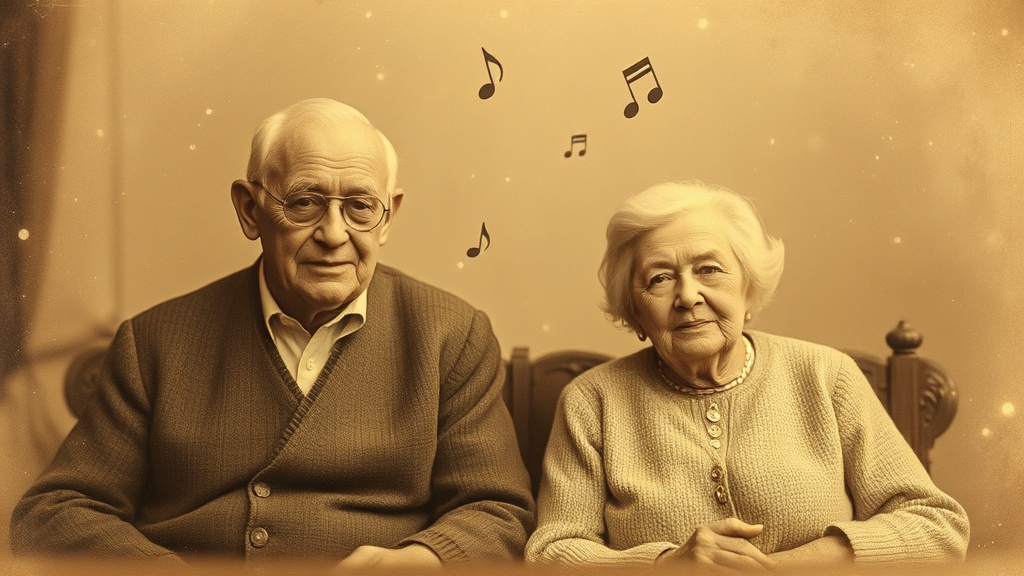
MyHeritage Deep Nostalgia changed everything in 2021.
Suddenly, millions of people were watching their grandparents blink and smile in photos from decades ago. Ancestors who had only existed as still images were “alive” again—if only for a few seconds.
It was magic. Pure, viral, tear-inducing magic.
But Deep Nostalgia has limits. And if you’ve used it, you’ve probably felt them.
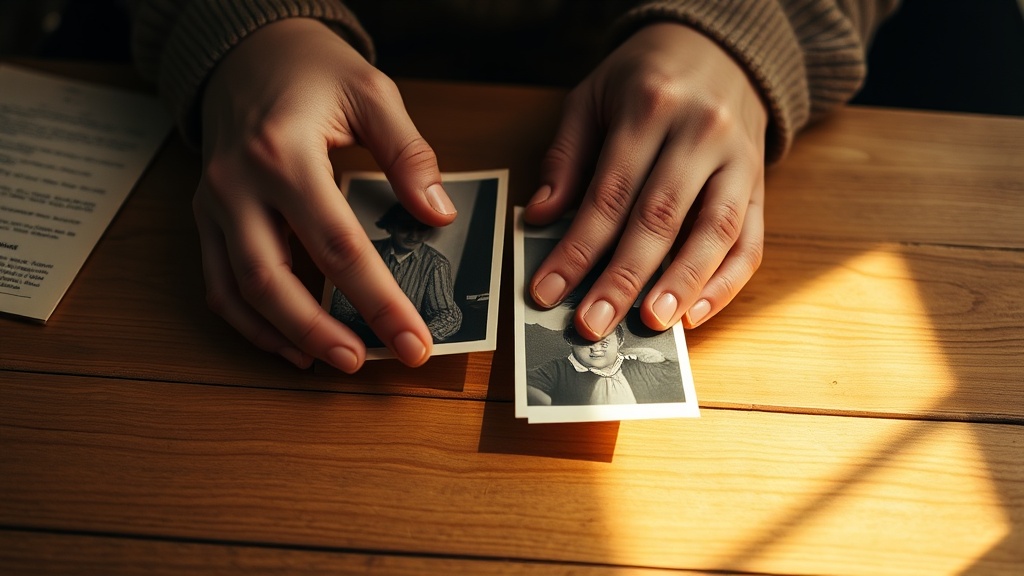 Deep Nostalgia showed us the magic of seeing old photos come alive. But a few seconds of animated faces is just the beginning.
Why people look for Deep Nostalgia alternatives
You probably found Deep Nostalgia through a viral video or a family member’s excited WhatsApp message. You tried it, saw grandma blink, felt something profound… and then wanted more.
Here’s where Deep Nostalgia falls short:
1. It only animates faces
Deep Nostalgia does one thing: makes faces move for 5-10 seconds. The eyes blink. The head tilts slightly. Maybe a subtle smile.
That’s it.
No full video. No story. No music. Just a looping face animation.
For a quick “wow” moment, this works. But for sharing with family? For playing at a celebration? For creating a gift? You need more.
2. No music = no emotion
Music is what transforms a slideshow into a memory. It’s what makes people cry at weddings. It’s the difference between “here are some photos” and “here is a tribute to a life.”
Deep Nostalgia is silent.
You get an animated face without context, without soundtrack, without emotional arc. To add music, you’d need to download the clip, import it into video editing software, find the right song, sync everything, and export. Most people just… don’t.
3. The subscription trap
Deep Nostalgia is part of MyHeritage, a genealogy platform. To use it beyond the limited free tier:
| What you want | What you pay |
|---|---|
| A few animations | Free (limited) |
| Regular use | $13/month subscription |
| Heavy use | $26/month premium |
But here’s the thing: you might not want genealogy features. You might not want DNA matching or family tree tools. You just want to animate grandma’s photo.
Paying $13/month for a genealogy platform when you need a one-time video feels like buying a gym membership to use the water fountain.
4. The uncanny valley problem
Sometimes—not always, but often enough—Deep Nostalgia animations look wrong. The technology tries to make faces move naturally, but when it misses, it misses badly.
An ancestor who looks slightly off, slightly inhuman, can be more disturbing than moving. The “uncanny valley” effect is real, and it can ruin what should be a touching moment.
5. Not gift-ready
You can’t easily share a Deep Nostalgia animation as a meaningful gift. There’s no:
- Download as a polished video
- Customizable cover
- Music or soundtrack
- Proper video length for sharing
- Message or dedication option
It’s a technology demo, not a finished product.
What do you actually want?
Before we look at alternatives, let’s be honest about what you’re trying to create:
If you want a quick wow moment: Deep Nostalgia is fine. Show someone their ancestor blinking, get the emotional reaction, move on.
If you want something to share: You need a tool that creates output—something downloadable, sharable, gift-ready.
If you want to honor a memory: You need music, pacing, narrative. A 5-second face loop won’t do.
Most people who search for Deep Nostalgia alternatives want the second or third option. They felt the magic of animated photos and want the complete experience.
The best Deep Nostalgia alternatives in 2026
1. Revivaly ⭐ Best for complete video tributes
Best for: Anniversary gifts, memorial videos, family tributes, birthday surprises
Revivaly takes what Deep Nostalgia started and completes it. Instead of animated faces, you get full videos with music—ready to share, ready to gift, ready to make people cry.
| Feature | Deep Nostalgia | Revivaly |
|---|---|---|
| Output | Face animation (5-10 sec) | Full video with music |
| Music | None | Curated soundtracks ✓ |
| Price | $13/month subscription | €1-10 one-time |
| Editing needed | Yes (to add music) | No ✓ |
| Gift-ready | Not really | Yes ✓ |
| Genealogy features | Yes (bundled) | No (focused) |
See the difference
Here’s what a Revivaly video looks like:
A complete tribute: photos come alive with music, transitions, and emotional pacing.
Compare this to a Deep Nostalgia output: a single face looping for a few seconds, no sound, no context.
How Revivaly works
The process couldn’t be simpler:
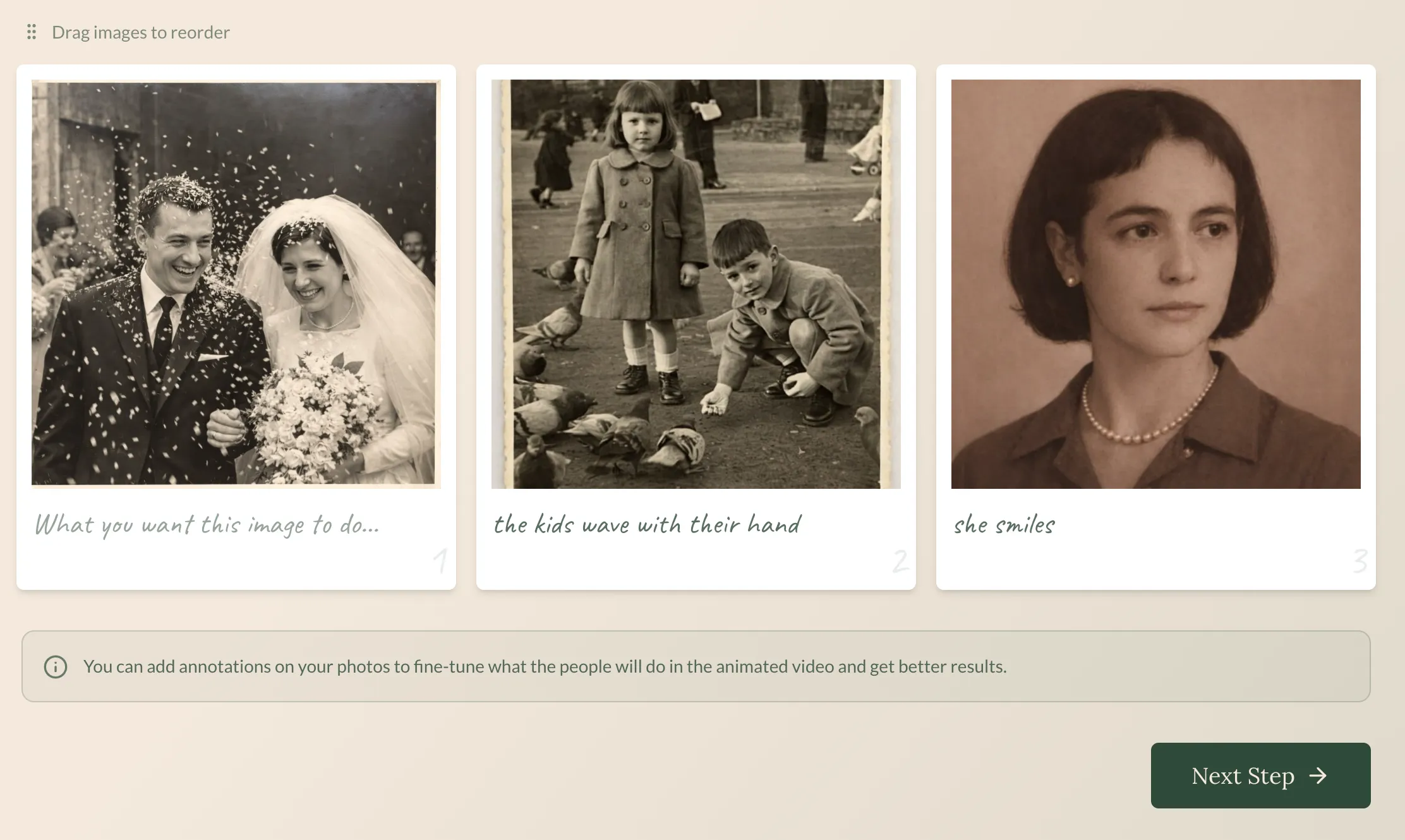 Step 1: Upload your photos—old ones, new ones, even damaged ones.
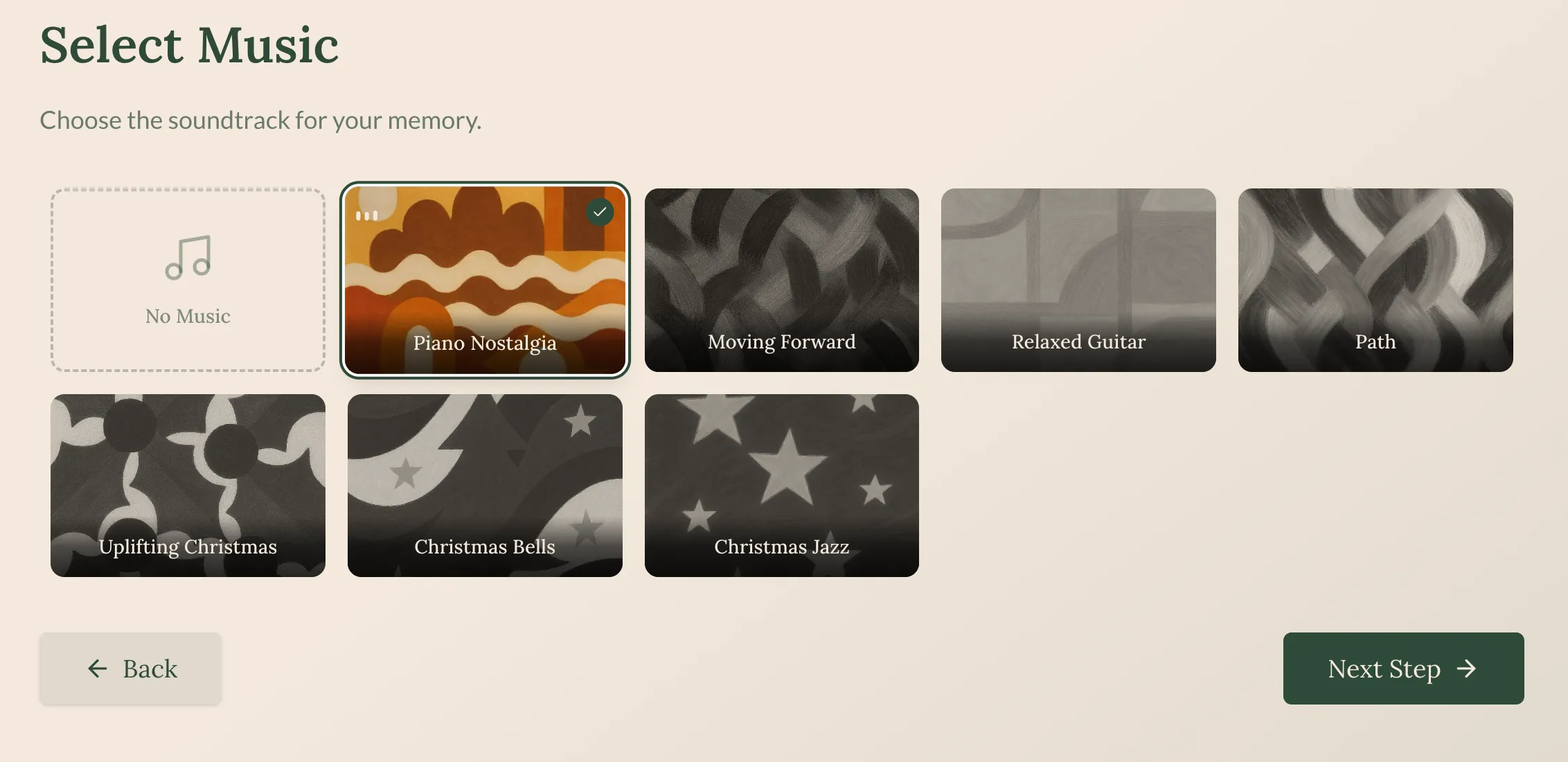 Step 2: Pick a soundtrack that matches the emotion you want.
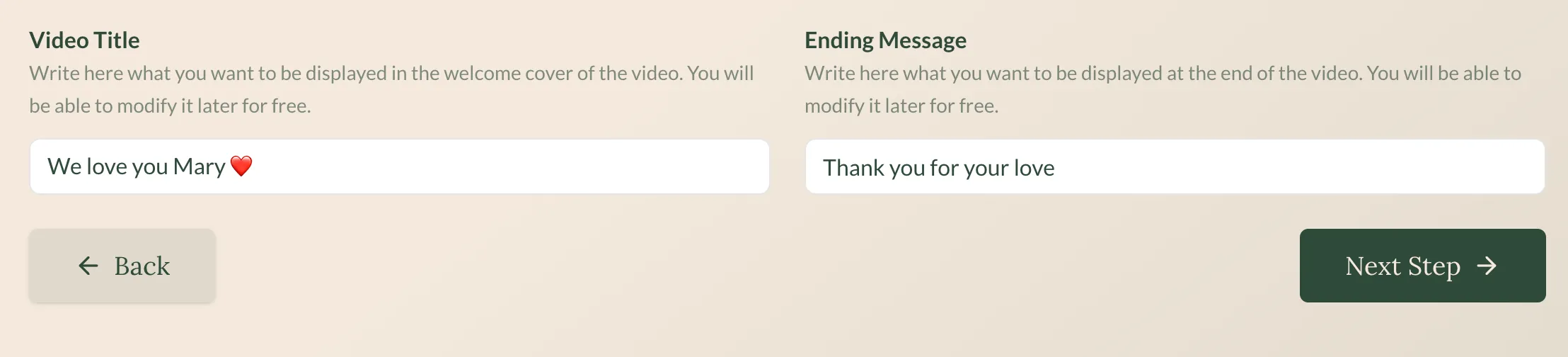 Step 3: In about 5 minutes, your complete video is ready.
The pricing makes sense
| Revivaly | MyHeritage |
|---|---|
| €1 per photo | $13/month |
| Maximum €10 | Ongoing subscription |
| Photos 11-20 free | Pay even when not using |
| One-time payment | Genealogy features bundled |
For a one-time tribute video, Revivaly costs €10 maximum. Deep Nostalgia costs $13/month—and you still don’t get music.
2. D-ID
Best for: Making photos “talk”
D-ID takes a different approach than Deep Nostalgia: instead of just animating faces, it can make them speak. Upload a photo, add text or audio, and watch the person appear to talk.
| Feature | Details |
|---|---|
| Price | $5.99-$299/month |
| Output | Talking avatar video |
| Music | Not included |
| Use case | Business, presentations |
The good:
- Photos can “speak” (lip-synced to audio)
- More animation control than Deep Nostalgia
- API for developers
The not-so-good:
- Subscription pricing (not one-time)
- Business-focused (not for family memories)
- No music integration
- Can look artificial
Best for: Business presentations where you need a digital spokesperson. Not ideal for emotional family content.
3. PixVerse
Best for: AI video generation with audio
PixVerse is a powerful image-to-video AI that includes audio generation—something most tools lack.
| Feature | Details |
|---|---|
| Price | Freemium with credits |
| Output | AI-generated video |
| Audio | Native generation |
| Complexity | Medium-high |
The good:
- Native audio generation
- High-quality video
- Advanced features
The not-so-good:
- Credit system
- Learning curve
- Not specifically for family photos
- Results require curation
Best for: Creators who want advanced AI video tools.
4. Kling AI
Best for: Highest quality image-to-video
Kling produces some of the best image-to-video results available. If pure quality matters most, Kling delivers.
| Feature | Details |
|---|---|
| Price | Credits |
| Quality | Industry-leading |
| Music | Not included |
The good:
- Exceptional video quality
- Realistic motion
The not-so-good:
- Credit-based pricing
- No music
- Not optimized for old photos
- General purpose
Best for: Quality-focused users who plan to add music separately.
5. Hailuo AI
Best for: Fast animation
Hailuo generates AI video quickly—faster than most alternatives.
| Feature | Details |
|---|---|
| Price | Credits |
| Speed | Very fast |
| Quality | Good |
The good:
- Quick turnaround
- Decent quality
The not-so-good:
- Credits
- No music
- General purpose
Best for: Users who need fast results.
The real comparison: Creating family memories
Here’s what matters if you’re trying to create something meaningful from old photos:
| Feature | Deep Nostalgia | Revivaly | D-ID | PixVerse | Kling |
|---|---|---|---|---|---|
| Full video (not just face) | ❌ | ✅ | ❌ | ✅ | ✅ |
| Music included | ❌ | ✅ | ❌ | ⚠️ | ❌ |
| Gift-ready output | ❌ | ✅ | ❌ | ❌ | ❌ |
| No subscription | ❌ | ✅ | ❌ | ⚠️ | ⚠️ |
| Works with old photos | ✅ | ✅ | ⚠️ | ⚠️ | ⚠️ |
| Simple to use | ✅ | ✅ | ❌ | ❌ | ❌ |
For family memories specifically, Revivaly is the only tool that checks all the boxes.
Frequently asked questions
Is Deep Nostalgia free?
There’s a limited free tier, but regular use requires a MyHeritage subscription ($13/month). If you don’t need genealogy features, you’re paying for a lot you won’t use.
Which alternative makes better videos than Deep Nostalgia?
For complete videos with music: Revivaly. It’s specifically designed to create shareable tributes, not just animated faces.
Can I add music to Deep Nostalgia?
Not directly. You’d need to:
- Download the animation
- Import into video editing software
- Find appropriate music
- Sync and export
Most people don’t bother. Revivaly includes music by default.
Which is better for memorial videos?
Revivaly, without question. Memorial videos need:
- Music (essential for emotional impact)
- Longer format (more than 5 seconds)
- Multiple photos (tell a life story)
- Gift-ready output (share at services)
Deep Nostalgia provides none of these.
Does Revivaly work with damaged old photos?
Yes. Like Deep Nostalgia, Revivaly handles old, low-resolution, and damaged photos well. The AI is trained to work with imperfect source material.
Can I try before buying?
Deep Nostalgia has a free tier (limited). Revivaly doesn’t have a free tier, but at €1-10 total, it’s often cheaper than one month of Deep Nostalgia subscription.
The bottom line: Animation vs. tribute
Deep Nostalgia showed us something magical: the dead can “live” again, if only for seconds.
But a few seconds of animated face isn’t a tribute. It isn’t a gift. It isn’t something you’d play at a memorial service or share at an anniversary dinner.
Revivaly takes the magic of photo animation and creates something complete:
- Full videos, not face loops
- Music included—curated soundtracks that match the emotion
- €1 per photo (maximum €10), not monthly subscriptions
- Gift-ready—download and share immediately
- 5 minutes—not hours of editing
Your ancestors deserve more than a 5-second face animation. They deserve a tribute.
Last updated: February 2026
Ready to bring your own memories to life?
Create a Video Now