Best PixVerse Alternatives in 2026: Simpler Options for AI Video
PixVerse has established itself as a powerful player in AI video generation. With features like native audio generation, lip-sync, and multi-shot narratives, it’s a serious tool for creators.
But not everyone needs all that power.
Maybe you’ve found PixVerse’s feature set overwhelming. Maybe the credit system doesn’t work for your workflow. Or maybe you have a specific use case—like turning family photos into videos—that doesn’t require the full PixVerse toolkit.
Let’s explore the best alternatives.
Why people look for PixVerse alternatives
1. Feature complexity PixVerse is packed with features: lip-sync, audio generation, multi-character scenes, style transfer, and more. For simple projects, this can feel like overkill.
2. Credit-based pricing Managing credits adds friction. You need to track usage, buy more when you run out, and estimate costs upfront.
3. General vs. specialized PixVerse does everything decently. But specialized tools often do one thing exceptionally well. If your use case is specific (family videos, memorial slideshows), a focused tool might deliver better results.
4. Learning curve Advanced features require learning. If you just want to animate some photos, that investment might not be worth it.
The best PixVerse alternatives in 2026
1. Revivaly ⭐ Best for family memories and emotional videos
Best for: Anniversary tributes, memorial videos, photo gifts
| Feature | Details |
|---|---|
| Price | €1 per photo (max €10) |
| Output | Complete video with music |
| Delivery | ~5 minutes |
| Subscription | None |
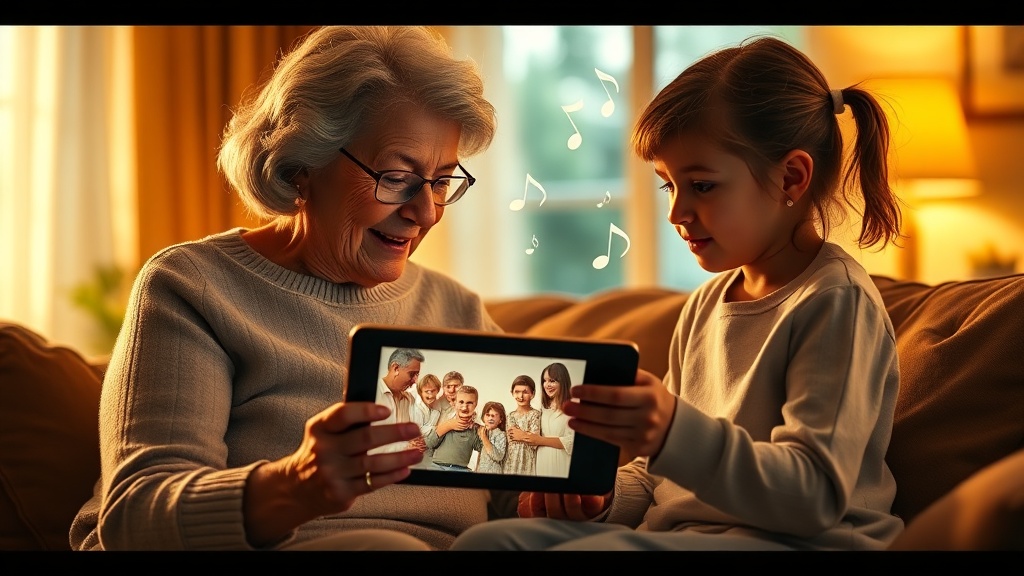
What it does: Revivaly takes your photos and transforms them into moving videos with music. It’s built for emotional use cases: family memories, anniversary gifts, memorial tributes.
Why it’s a good PixVerse alternative:
- Single purpose, done well: Photo-to-video with music, nothing else
- No credits: Simple per-photo pricing
- Music included: Complete emotional package
- Zero learning curve: Upload, choose music, done
Limitations:
- No text-to-video
- No advanced AI generation
- Limited creative control
2. Kling AI
Best for: High-quality image-to-video
| Feature | Details |
|---|---|
| Price | Credits |
| Quality | Excellent |
| Origin | Kuaishou (China) |
What it does: Kling produces some of the best image-to-video results available. If pure quality is your priority, Kling delivers.
Pros:
- Exceptional video quality
- Realistic motion
- Active development
Cons:
- Credit system
- Interface complexity
- Not specialized for emotional content
Best for: Quality-focused creators.
3. Hailuo AI
Best for: Fast generation, good quality
| Feature | Details |
|---|---|
| Price | Credits |
| Speed | Very fast |
| Quality | Good |
What it does: Hailuo (by MiniMax) emphasizes speed without sacrificing too much quality.
Pros:
- Quick turnaround
- Decent quality
- Similar features to PixVerse
Cons:
- Credit system
- General purpose
Best for: Users who need fast results.
4. Runway
Best for: Professional video creation
| Feature | Details |
|---|---|
| Price | $15-$95/month |
| Quality | Industry-leading |
| Focus | Professional creators |
What it does: Runway’s Gen-4 model sets the standard for AI video. It’s the choice of professional filmmakers and content creators.
Pros:
- Best quality available
- Full creative control
- Professional toolset
Cons:
- Professional pricing
- Steep learning curve
- Overkill for simple projects
Best for: Professionals and serious creators.
5. D-ID
Best for: Talking avatars
| Feature | Details |
|---|---|
| Price | $5.99-$299/month |
| Focus | Digital humans, avatars |
| API | Yes |
What it does: D-ID specializes in creating talking digital humans and avatars for business use.
Pros:
- Excellent talking avatars
- Business features
- API access
Cons:
- Expensive
- Subscription model
- Different focus than PixVerse
Best for: Business presentations and avatars.
6. MyHeritage Deep Nostalgia
Best for: Quick face animation
| Feature | Details |
|---|---|
| Price | Free tier + $13/month |
| Output | Animated faces |
| Focus | Historical photos |
What it does: Animates faces in photos, making them move and blink.
Pros:
- Free tier
- Good with old photos
- Simple to use
Cons:
- Faces only (no full video)
- No music
- Can look uncanny
Best for: Genealogy and historical photos.
Quick comparison
| Tool | Best for | Price | Music? | Complexity |
|---|---|---|---|---|
| Revivaly | Family videos | €1-10 | Yes ✓ | Very low |
| Kling AI | Quality | Credits | No | Medium |
| Hailuo | Speed | Credits | No | Medium |
| Runway | Professionals | $15-95/mo | No | High |
| D-ID | Avatars | $6-299/mo | No | Medium |
| MyHeritage | Faces | $13/mo | No | Low |
PixVerse vs Revivaly
| Feature | PixVerse | Revivaly |
|---|---|---|
| Focus | General AI video | Family memories |
| Pricing | Credits | €1 per photo |
| Music | Sometimes | Always ✓ |
| Features | Many | Few (intentionally) |
| Learning curve | Some | None |
| Best result | Various | Emotional videos |
Choose PixVerse if: You need versatile AI video generation with advanced features.
Choose Revivaly if: You want emotional family videos with music, done simply.
FAQ
What’s the simplest PixVerse alternative?
Revivaly. Upload photos, choose music, get video. No credits, no settings, no learning.
Which alternative is cheapest?
For one-time use, Revivaly (€1-10 total). For ongoing use with free tier, MyHeritage or Hailuo.
Can I make memorial videos without PixVerse?
Yes. Revivaly is specifically designed for emotional moments like memorials. It includes music and creates complete tribute videos.
Which has the best video quality?
Runway leads in pure quality, followed by Kling. But for emotional family videos, quality isn’t everything—the right music and pacing matter more.
Conclusion
PixVerse is powerful and versatile. But versatility comes with complexity.
If your goal is creating emotional videos from family photos—for an anniversary, memorial, or special occasion—you don’t need versatility. You need focus.
Revivaly does one thing exceptionally well: turning your photos into moving memories with music.
€1 per photo. Music included. No credits. Ready in 5 minutes.
Last updated: February 2026
Ready to bring your own memories to life?
Create a Video Now